
Advanced statistical analysis tool for data-driven insights
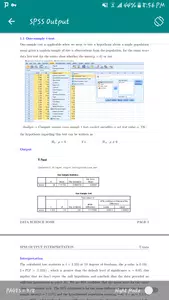
SPSS is a statistical analysis software
package originally designed for social scientists, but its large number of add-on modules has made it suitable for a wide range of researchers. You might need to use SPSS to process data in a health study, market research, or even for data mining. Companies looking to monetize the vast amounts of data they already possess are increasingly turning to SPSS to obtain the insights needed for data-driven decision-making.
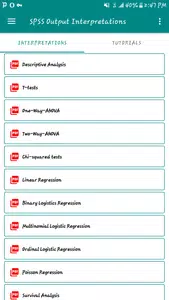
The application’s flexibility is largely due to its long history.
Originally called the Statistical Package for the Social Sciences (SPSS), it has been around since 1968. It’s difficult to imagine another software program that has remained so widely used since the era of mainframe computers. Thanks to its long history, SPSS users can find a wealth of third-party applications compatible with the software.
They can also find numerous existing studies available for download online. This makes it easy for students to find and analyze research by other authors. SPSS’s intuitive interface is ideal for opening existing studies and exploring them in detail.
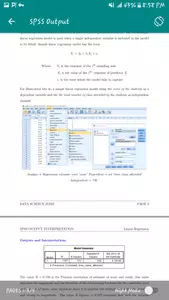
Modifying data is as simple as editing a number in a field.
The application has a slightly different layout than most database or spreadsheet applications, but it’s actually organized in a way that makes data entry and subsequent modifications easy.
Once you’ve imported all your data into the application, it can automatically generate visualizations and help you draw conclusions. Since SPSS was originally designed, at least in part, for the government and education sectors, it particularly excels when working with large datasets.
That doesn’t mean it’s not scalable.
You can use SPSS even with just ten or twenty data points in your study. As you add more data, the application will adapt to keep recording your points.
By installing the basic version of the software, you’ll have access to a comprehensive set of descriptive statistics tools. These include a cross-tabulation function, a frequency calculator, and an exploration widget. And even more importantly, the basic installation can automatically calculate descriptive ratio statistics.
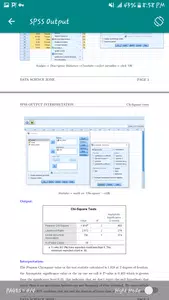
Although many users may never use the bivariate statistics window, SPSS excels in this area. It allows you to calculate means, t-test results, and Bayesian results for virtually any set of numbers. More creative users will begin combining these tools with the built-in descriptive statistics suite to gain a more comprehensive understanding of each dataset they analyze.
Once these analyses are complete.
linear regression panels can be opened. This allows you to predict the numerical outcome of any change caused by a force affecting the dataset.
Each of these factors, as well as a prediction tool that helps identify clusters, is accessible via drop-down menus. The application supports its own command-line syntax language, designed around fourth-generation (4GL) paradigms. If you prefer a command-line interface, this language is ideal for automating your studies and performing repetitive tasks without manual intervention.

Those serious about automation.
will find that the base package also includes extensions geared toward geospatial analysis and simulation, as well as more general automation processes. Integrations for Python and R are offered, which will be useful for script writers looking to reuse code.
That said, those who prefer an efficient graphical user interface won’t be disappointed. Everything you could want from SPSS is included in the application’s detailed menu system. While you’ll need to spend a fair amount of time learning how to use each widget, it’s time well spent considering how powerful the application can be.


