
Desktop client for a popular social network that offers a familiar interface, notifications, and basic content sharing features.

Facebook for Windows is a different way to access Facebook.
It’s a standalone application that lets you use a PC app instead of logging into the popular website through your browser.
The app will also send you notifications about events, even if the application is minimized.
It works just like the website, allowing you to share your thoughts, personalize your news feed, edit your privacy settings, and even manage your Facebook groups.
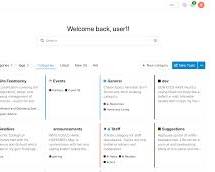
The Facebook app for PC lets you enjoy all your favorite Facebook features, making it easy to stay connected with friends and family.
You can easily share your posts, photos, and much more from this intuitive application. If someone interacts with you, the app will notify you, just like on your mobile phone.
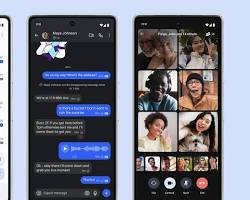
In fact, it works very similarly to the mobile version.
The application is free to download and use. It works by utilizing your PC’s location, webcam, microphone, and other resources.
The application also uses your internet connection and generates dynamic code for proper operation.
Installing Facebook on Windows is quite quick, with a total size of approximately 164 MB—a minuscule size, especially for an app like Facebook, which is known for consuming a significant amount of data when downloaded on other devices.
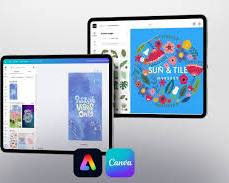
The app’s interface is familiar and therefore easy to use. It’s sleek and organized. However, it’s worth noting that the app doesn’t offer any new features;
you’ll get the Facebook app you’re already familiar with in style and functionality.
The software is easy to navigate and doesn’t require much learning, allowing anyone to download, log in, and enjoy it.
With the Facebook app for Windows, you can share your thoughts and modify your audience, allowing you to adjust who sees your posts using the handy drop-down menu located just above the status field. This makes it easy to share your thoughts without all your friends seeing what you post.
This feature is very useful for keeping surprises a secret or when you don’t want your grandmother to see your less appropriate posts.
This app is also great for connecting with your favorite groups. However, if you want to play your favorite Facebook games, you won’t be able to do so from within the app.
You’ll be redirected to the Facebook website. This relates to the app’s biggest problem:
it redirects you to a web browser far too often.
Additionally, you’ll have to contend with ads, which are well integrated into Facebook’s design.
Another drawback is that you can’t send messages or call anyone through the app. To send messages, you’ll have to use a web browser or download Messenger.
This slightly limits your ability to connect with friends and family, but not significantly.
You can still comment and post on other users’ profiles, but you can’t send them private messages or initiate video or audio calls. However, you can live stream and record yourself to post content outside of messages.
With the app, you can post, share, watch videos, and take photos.
You can also adjust security settings and edit your profile to your liking.
As mentioned, this Facebook app is identical to the one available for phones and has the same advantages and disadvantages.
Its appearance and functionality are the same as the Facebook mobile apps. This is ideal for those already familiar with Facebook on mobile devices.

In short, the Facebook app for Windows is an excellent option for those who prefer or need a mobile version of the popular website instead of using a browser.
The app works just like the others and performs the same.
It does take up space and performs a lot of redirects, but it offers and familiar Facebook experience on your PC.


