
One of the most popular messaging apps in the world is WhatsApp. It enables individuals to send and receive text messages, voice calls, video calls, photos, videos, documents, voice notes and more. The technology that’s behind WhatsApp is much more complex than it sounds, since you simply have to open up the app and select the contact to talk to.
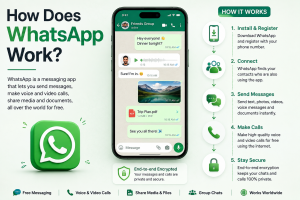
Internet, mobile apps, computer servers, encryption, contact management, notifications and multimedia processing are merged to offer instant interaction among users in WhatsApp. A message might seem to send from one phone to another in no time at all, but during the transfer from the sending phone to the receiving phone, a number of technical steps take place.
This article will guide you through how WhatsApp functions, from the moment you create an account to the delivery of messages, the protection of end-to-end encryption, voice and video calls, media, across devices, and managing groups, backups, and notifications.
What Is WhatsApp
WhatsApp is an online messaging service. WhatsApp uses an internet connection as a main method of sending text messages, unlike traditional SMS which is sent through cellular networks and telecommunications systems.
The user can either access WhatsApp via a Wi-Fi or mobile data. Once connected, the application communicates with WhatsApp’s servers and other necessary infrastructure to send and receive information.
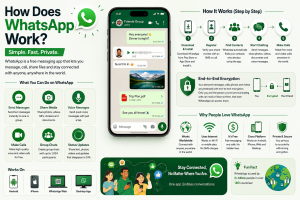
WhatsApp can be used for various types of communication, such as:
* Text messages
* Voice messages
* Voice calls
* Video calls
* Group chats
* Photos
* Videos
* Documents
* Contact sharing
* Location sharing
* Stickers and GIFs
* Status updates
* Communities and channels
* Reactions and other interactive features
It’s simple — WhatsApp offers software for devices to communicate over the Internet, with security and authentication features to safeguard users and their discussions.

How WhatsApp Starts Working
First of all, the WhatsApp should be installed on a smartphone or any supported device. A phone number is a key identifier for WhatsApp in the process of account registration.
Normally after entering a phone number, the user will receive a verification code. This code is to verify that the subscriber can access the phone number for registration.
WhatsApp makes or activates the account once the number is verified. This application can then sync relevant information from the accounts and create a secure connection with WhatsApp’s infrastructure.
The app can also ask to gain access to contacts, photos, microphone, camera, notifications and other device capabilities. These permissions enable WhatsApp to offer functions like discovering contacts utilizing WhatsApp, calling, recording voice messages, and sending pictures.
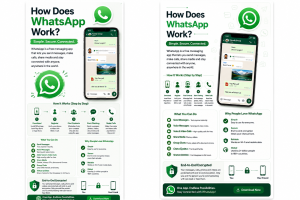
How WhatsApp Finds Your Contacts
Phone numbers are vital to WhatsApp’s identity system. Allowing contact access, the application will be able to match numbers in the device’s address book with WhatsApp accounts.
For instance, if you have a phone with a friend’s number on WhatsApp. WhatsApp will identify the number to be linked to a WhatsApp account and will show that person as an available contact.
The actual operation is related to privacy and security mechanisms and WhatsApp has evolved in time with various mechanisms for discovering contacts. The key thing to remember is that your cell phone’s address book will be used to aid in identifying who you can connect with on the platform.
That’s the reason that WhatsApp isn’t usually asking users to register a new username before they can text a person. One of the big identity elements is a phone number.

How a WhatsApp Message Is Sent
There are a number of things that happen in a split second when you type a message and press Send.
First, the message is “processed” by the WhatsApp application on your phone. The system secures the message for delivery and encrypts it before it leaves your device.
The encrypted message is then sent via the internet.
The information can travel through your Wi-Fi router, your mobile carrier and the internet infrastructure to get to WhatsApp servers, depending on the situation.
Entra message in the servers of WhatsApp, which assist in sending the message to the recipient.
This encrypted information is then passed to the recipient’s WhatsApp application where it is being processed. Personal messages and calls are end-to-end encrypted on WhatsApp so that only the endpoints that are communicating can read them.
The process can be described as follows:
The recipient’s phone receives data via the WhatsApp infrastructure, which is accessed through the Internet, which is accessed by the sender’s phone.
However, the actual path taken by the signal in the network can be much more complex, and this simplified version illustrates the basic concept.

What WhatsApp Servers Do
One of the common misconceptions is that WhatsApps server just saves and reads all conversations. The end-to-end encryption alters the processing of the content of the message.
WhatsApp’s infrastructure continues to serve a variety of purposes. Servers provide the connection service, account validation, message routing, delivery service, synchronization service, notification service and other services that an application needs to operate.
If the recipient is offline temporarily, the delivery of the message might be delayed momentarily to forward when the recipient’s device is online.
It is therefore somewhat like a communication coordinator that the server is. It can facilitate information exchange among devices, though it won’t necessarily be able to see the readable content of an end-to-end encrypted conversation.

Understanding End-to-End Encryption
End-to-end encryption is one of the most crucial features of WhatsApp’s technical aspects.
End-to-end encryption involves encrypting the information in a protected conversation on the sender’s device and decryption on the intended recipient’s device.
Imagine that Alice sends a message to Bob.
Alice encrypts the message before sending it. The encrypted information is sent via WhatsApp’s infrastructure. Bob’s phone receives the encrypted data, and he uses an appropriate cryptographic key to decrypt the data.
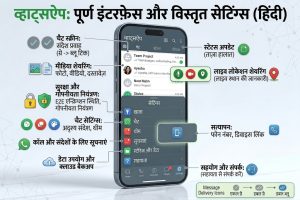
Conceptually:
Readable message, Encryption, Encrypted message, Transmission, Decryption, Readable message
The aim is to avoid that the intermediate could just be reading the content as it is transmitted.
Signal-related tech companies have built their end-to-end encryption system for WhatsApp. The cryptographic methods used in the system are current and secured communication is ensured between users.
Encryption Keys
Secure Communication is, of course, the key and the keys are the center of secure communication.
A key is a number in mathematics that is used for encrypting and decrypting. Instead of having one password for all times, modern messaging systems employ several keys and complex protocols.
WhatsApp’s encryption architecture is designed so that users’ devices participate in generating and managing cryptographic keys.
This is important because if every message depended on a single permanent encryption key, compromising that key could expose a large amount of communication. Modern secure messaging systems therefore use techniques intended to limit the damage of key compromise and provide properties such as forward secrecy.
WhatsApp also provides security-code verification mechanisms.
Users can compare the security information attached to a conversation to help ensure that no one has ever breached the encrypted connection.
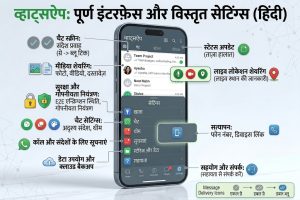
What the Two Check Marks Mean
WhatsApp’s check marks provide information about message delivery.
A single checkmark usually means the device has sent the message to WhatsApp.
Two checkmarks generally show that the device has received the message.
Two blue checkmarks mean the recipient has read the message. This is true only if they have turned on read receipts and met the right conditions.
These indicators are NOT decorations. They represent various points of the communication process.
If there is only one check mark in the box for an extended time, for instance, the recipient might be offline, or the recipient’s device might not be currently able to receive the message.
How WhatsApp works when the person is offline.
even if your friend has turned off their phone, the message will go through.
Your device still can send the encrypted message to WhatsApp’s infrastructure.
The recipient will get the pending message when they have WhatsApp open.
Once the delivery team has the delivery, the system can update the delivery status.
This is significant because the users do not have to be online at the exact same time.
WhatsApp is thus an asynchronous communication system.
The working of WhatsApp Notifications.
How WhatsApp Notifications Work
Users can receive notifications to alert them to new messages without having to open WhatsApp constantly.
If a message forwarded for a device that isn’t showing WhatsApp, notification systems built into the device’s operating system can notify the user.
Android and iOS offer push-notification infrastructure which applications can leverage.
The notification system assists WhatsApp in saving battery/power and network resources since it doesn’t need to have a constant user interface on.
How Photos and Videos Sent
Sending media is more that just sending a text message.
Sometimes a picture or video will be larger than a text message and WhatsApp might work on it before sending. The application may process the media in any way it chooses to reduce the amount of data it needs to process, depending on the feature and context.
WhatsApp security mechanisms also ensure the protection of multimedia files.
The sender picks a photo. Then, WhatsApp prepares the file for sending. Finally, the system sends the encrypted data over the internet.
The device downloads the file and processes it. This lets the conversation show it.
That’s why it takes longer to send a big video than a short text message.
Why WhatsApp Compresses Media
Compression makes the file size smaller.
Suppose the image made by a camera is very large. For supported media sharing workflows, WhatsApp can leverage compression to streamline and enhance communication.
Compression can reduce:
. File size
. Upload time
. Download time
. Mobile-data consumption
. Storage requirements
The downside is compression may diminish image or video quality.
Whenever users request to keep the original quality of some files, WhatsApp offers means to send content via documents or features aimed at higher-quality media sharing.
How WhatsApp Voice Messages Work
When a user pushes the microphone control and records voice, the voice message starts.
The user turns on the app using the microphone. This changes sound into a digital signal for sending.
WhatsApp then sends the resulting data using its secure communication system.
A user’s device downloads this music to their phone’s speakers, headphones (or whatever is available), etc.
Voice calls are easy to use as they do not need either person’s presence at a given time. The sender is able to send an email message, while the recipient can read it later on.
What is WhatsApp Voice Call.
Voice call on whatsapp is not like regular cellular voice call.
WhatsApp calls use internet-based communication technology.
A user initiates an instant messaging session with another person on whatsapp and then it connects them.
Phones send audio data through a network called the.
Microphones capture audio, convert it to digital, compress it for transmission, and re-encode it at the destination.
Because internet conditions vary, WhatsApp and similar applications need to manage network problems such as:
. High latency
. Packet loss
. Weak Wi-Fi
. Mobile-network congestion
Changing network connections The system attempts to maintain usable call quality despite these conditions.
How WhatsApp Video Calls Work
Video calls add camera information to the communication process.
A video camera records the video, and an audio recorder captures the sound.
It processes and compresses them prior transmission.
Then it transmits through a computer network and shares it with another person.
The receiving end of this program reconstructs audio/video signals, then displays them on a monitor.
Video needs much more information than text.
Thus, video call is dependent upon internet speed, lag time, computer speed and camera resolution.
If the connection is bad, then application might decrease video resolution and adjust itself for maintaining a call.
WhatsApp Group Chats
Group chat supported by whatsapp.
A team has many members and a common discussion.
Messaging groups are inherently more complex than individual chats since they have to handle many people, membership changes, access rights, and encryption relationships.
The encryption mechanism used by whatsapp is group related cryptography for protecting group chats.
Administrators have some control over groups like adding/removing members, and setting up groups.
How WhatsApp Handles Group Encryption
Messages within a cryptographic community aren’t just like normal social media posts.
Cryptography used this program for secure inter-group communication among members. Membership changes may require updates on encryption-related data to ensure that former members are not able to access future group communications automatically.
It’s a vital aspect of safety.
As an illustration, if a user departs an exclusive chat room, he or she must stop receiving any more messages intended for him or her from other members of that particular community.
Also, when someone joins then.


