
About Messenge.
Messenger es una aplicación de comunicación que te permite chatear, llamar y compartir contenido entre Facebook y Messenger.
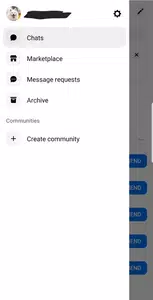
Messenger is ideal when you need a place to keep your conversations with friends, family, and groups organized. It brings together chats, voice calls, and video calls so you can stay up-to-date without switching apps. You can stay in touch with your contacts and join broader conversations as your interests grow, without losing sight of everyday messages. It’s quick and easy to set up for daily use at home, school, or work. If you prefer to install an APK file, Messenger APK is available.
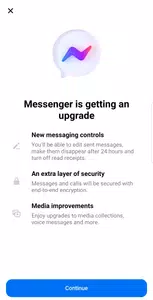
Messenger features you can use today
Messaging and Calling All in One.Messenger supports text messaging, voice calls, and video calls, so you can switch between texting and talking whenever you need to. You can chat one-on-one or in groups and keep all your conversations in the same inbox. Your messages sync across all your devices, allowing you to pick up a conversation from another phone or tablet without having to repeat steps.
Easy ways to connect
You can instantly find Facebook friends and start chatting without having to search through your contacts. When you want to add someone new, Messenger provides scannable QR codes and shareable links, so the other person can quickly join your chat. This simplifies setting up when meeting classmates, colleagues, or neighbors.

Share photos and files
Messenger lets you send high-definition photos so details are crystal clear when sharing pictures of events or family moments. You can create shared albums so everyone in a chat can add photos and relive memories together. If a work or school-related topic comes up, you can send documents up to 100 MB, including Word, PDF, and Excel files, directly in the conversation.
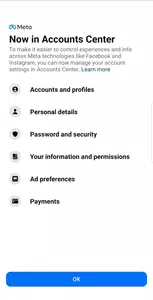
Privacy controls that you manage
You can edit or cancel sending a message within 15 minutes if you need to make any changes. For added security, you can enable end-to-end encryption in chats where it’s available and use disappearing messages for time-limited conversations. These controls help you manage which messages stay in your chat and which disappear after a short time.
Updates and creative tools
Messenger helps you follow communities and creator channels so group updates go straight to your inbox. You can also post Stories and short Notes to share what you’re up to with friends. In some regions, Meta AI can answer questions and create, edit, or animate images within chats, offering quick help and easy creative options during conversations.
Account setup in Messenger
Messenger doesn’t require a phone number to get started. It connects through Facebook, allowing you to quickly find your friends and start chatting without adding numbers. This setup helps you start conversations right away and keeps your contacts up to date across both services.
Availability of Meta AI and creative features.
Meta AI y ciertas herramientas creativas solo están disponibles en determinadas regiones. Si no ves estas opciones en tu editor de chat, es posible que estas funciones no estén disponibles en tu país por el momento. Las funciones de la comunidad, los canales de transmisión, las Historias y las Notas también pueden variar según la región.

How to use Messenger on Android
This quick guide explains the basic process from opening the app for the first time to starting your first chat. If you have the latest version of Messenger installed, the steps below will be familiar and easy to follow.
1.Open Messenger and sign in with your Facebook account to load your profile and contacts.
2.Review the prompts and turn on notifications to see new messages instantly. Grant access to your camera, microphone, and storage only when you’re using the chat, saving photos, or files.
3.Tap the compose or search icon to find friends and, if needed, add new contacts using your QR code or a shareable link. Create a group chat to chat with multiple people at once.
4.Open a conversation, type a message, and tap send. Use the call buttons to start a voice or video call and attach photos or documents to share media.
5.Open chat settings to turn on end-to-end encryption (when available), enable disappearing messages, and manage notifications. If needed, edit or delete a recent message within the next 15 minutes and try the creative tools or Meta AI features if available in your region.

Start messaging with Messenger
Messenger integra chats, llamadas y la posibilidad de compartir contenido para que tengas todas tus conversaciones en un solo lugar. Para empezar en Android, descarga Messenger y sigue los sencillos pasos para iniciar sesión, encontrar a tus amigos y comenzar a chatear.
Para acceder a recursos y soporte oficial, utilice el enlace a continuación.


